
Plexamp
Plex, Inc.Music & Audio
4.52.95K Reviews
- Version
- 4.12.4
- Installs
- 500.00K
- Age Rating
- Everyone
Screenshots
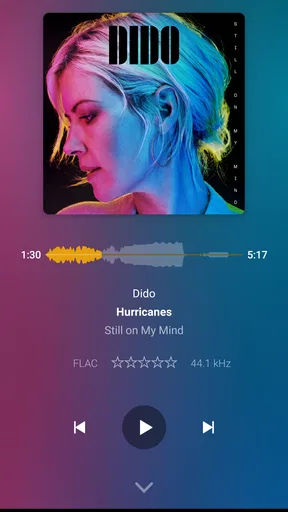
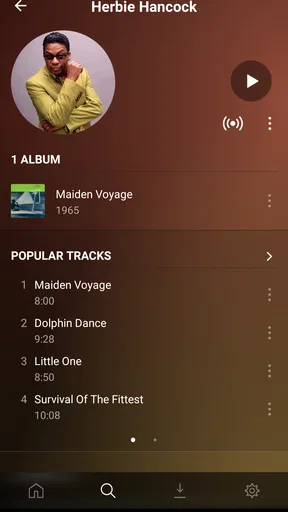
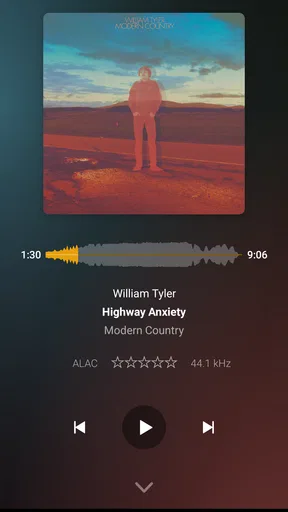
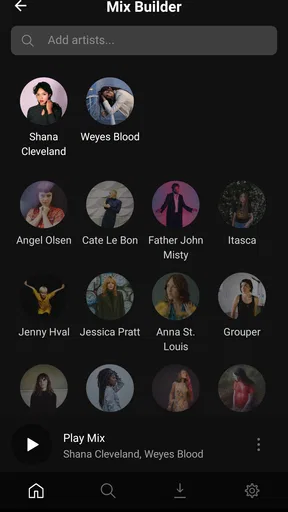
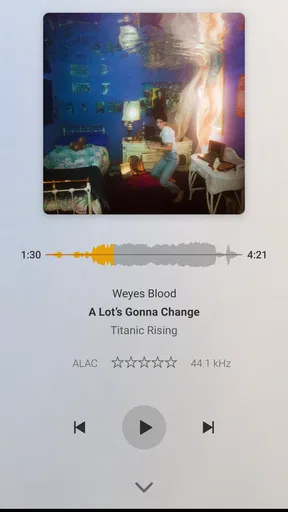
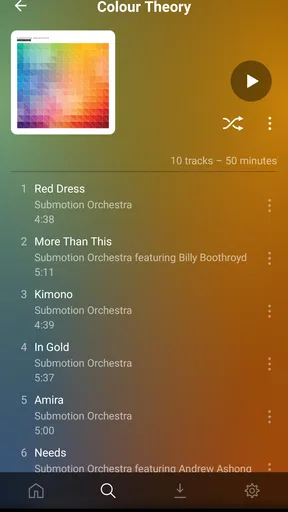
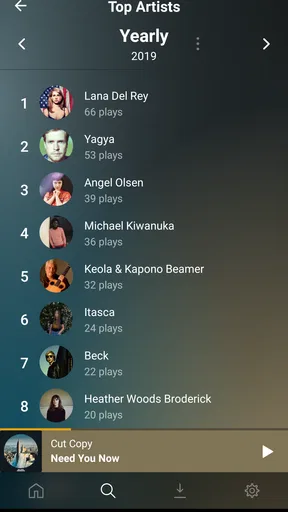
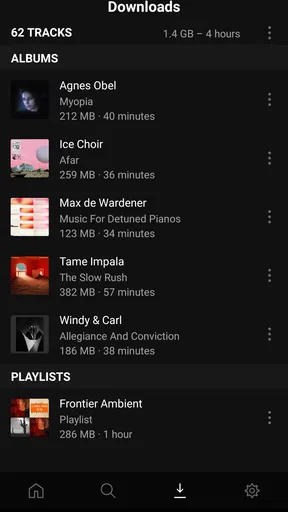
Our Review of Plexamp
 Analysis by Appyee
I installed Plexamp expecting a straightforward player for a Plex music library, but it quickly felt more focused than the usual all-purpose music apps. It is built around listening rather than discovery feeds, social features, or a huge catalog you do not own. That difference matters: if your music already lives in Plex, the app can feel wonderfully direct; if you want an instant streaming replacement with no setup, it may feel like extra work.
Developed by Plex, Inc., this free Music & Audio app is aimed at people who want a dedicated way to enjoy their personal collection. Its store summary calls it a beautiful Plex music player, but my experience is that its real appeal is not simply appearance. The useful part is how it turns a stored library into something I can browse, search, and play without constantly managing files on the phone.
The app is rated for Everyone, and it runs on Android from version 6.0 onward. It has built a strong audience, with an average rating of 4.5 from around 23 thousand ratings and over 500 thousand installs. Those figures suggest that it is not an obscure companion tool, but the audience is still specific: Plexamp makes the most sense when Plex is already part of your music routine.
How Plexamp feels during everyday listening
I find Plexamp most rewarding when it becomes a quiet part of a routine rather than another app I keep checking. In this section, I’ll look at how its library-first approach fits ordinary listening, then turn to the practical steps that help a new user get started without overcomplicating the setup.
Quick access matters more than flashy discovery
The first thing I noticed was the difference between opening Plexamp and opening a mainstream streaming service. Instead of pushing me toward new releases or editorial playlists, it puts my own library at the center. That makes the app feel fast in a practical sense, because I am usually only a few taps away from an artist, album, playlist, or recently played record that I already know I want.
This is especially useful when I am leaving the house and do not want to spend several minutes deciding what to hear. I can open the app, return to something familiar, and start listening. The experience is less about endless choice and more about reducing the distance between my intention and playback.
That focus also exposes a trade-off. A large streaming catalog is better when I want to explore music I do not own. Plexamp cannot replace that habit by itself. Its strength is making a personal collection feel approachable, not supplying an unlimited catalog at the moment I install it.
A realistic commute and a better library routine
My most convincing everyday use case is a commute or a walk where I already know the mood I want. Before leaving, I can select an album or a prepared playlist rather than relying on a recommendation system. When I return later, continuing from familiar listening is more comfortable than rebuilding the session from scratch.
There is also a useful workflow for people with years of music spread across folders, drives, or older purchases. Once that collection is organized through Plex, Plexamp gives it a more music-first front end than browsing files in a general media application. The benefit is not that it magically fixes a messy library; the benefit is that a well-maintained Plex library becomes easier to live with every day.
My advice is to do the organizational work before judging the player. Consistent artist and album names, sensible playlists, and a little patience with library cleanup will have a bigger effect on the experience than changing a visual setting. Plexamp reflects the quality of the collection behind it, so disorganized music can make the app feel less intelligent than it really is.
Where the speed impression comes from
I would describe Plexamp as responsive when the library is available and the phone is not struggling with other tasks. Browsing a familiar collection feels lighter than navigating a general Plex media interface, because the app is designed specifically for music. The dedicated focus helps the important actions—finding music and starting playback—stay clear.
Still, perceived speed is not only an app issue. A Plex setup may involve a home server, a remote connection, or a phone that is under pressure from other apps. When a library is remote or the network is unreliable, waiting can feel like an application problem even when the real bottleneck is elsewhere. I would not judge Plexamp fairly without considering the route between the phone and the music.
For the smoothest routine, I would prepare music before a trip rather than assuming a weak connection will behave perfectly. This is one of the less obvious lessons with a server-based music player: convenience improves when I plan around connectivity instead of treating every listening session as an on-demand test of the network.
What happens during heavier listening
Long listening sessions are where a music app earns its place. I found Plexamp most comfortable when it was allowed to remain a focused player while I used the phone for ordinary tasks. The interface does not need constant attention, and that is valuable when music is background company during work, cooking, or travel.
Heavier use can mean more than playing one album. It may involve moving through a large personal library, switching between artists, returning to playlists, and keeping listening going while other apps are open. Here, the main trade-off is the complexity of the Plex environment. The player may be simple to operate, but the underlying library and connection can still determine how effortless the session feels.
I would also separate sustained playback from library management. Listening is the part Plexamp handles most naturally. Correcting tags, restructuring folders, or repairing an incomplete collection is better done outside the moment when I want to relax. Treating the app as a player rather than a full music-library editor keeps expectations realistic.
Resource demands and practical battery thinking
I do not see Plexamp as an app that needs constant attention or a powerful phone simply to play music. Its minimum operating-system requirement reaches back to Android 6.0, which makes it accessible to a broad range of Android devices. That said, compatibility is not the same as identical comfort on every phone.
An older device may cope well with ordinary playback but feel less comfortable when the library is extensive, the connection is remote, or several demanding apps are already running. I would avoid making a precise battery or memory claim because those results depend heavily on the phone, network, server, and listening habits. The sensible expectation is that the app’s demands are tied to the whole Plex setup, not just the player screen.
A practical tip is to close unnecessary heavy tasks before a long listening session on an older phone, especially if I am also using navigation or video apps. That is not a Plexamp-specific requirement so much as a way to leave enough room for any music player to remain dependable while the device is busy.
Stability, interruptions, and recovery
Reliability is more complicated here than with a player that stores everything locally. A local file player has a short chain: the phone, the storage, and the app. Plexamp can depend on the availability of the Plex library and the path between them. When everything is reachable, that structure is convenient. When the server or connection is unavailable, recovery becomes part of the experience.
In my view, the best recovery habit is to keep a fallback ready. I would not begin a long flight, road trip, or area with uncertain reception by assuming that a remote library will always be accessible. Prepare the music you expect to need, and treat remote listening as a convenience rather than a guarantee. That single change makes the app feel much more reliable in real life.
Another useful distinction is between a one-off interruption and a repeated access problem. If playback stops once, reconnecting may be enough. If the same issue returns, I would inspect the server and network path before repeatedly reinstalling the app. Plexamp sits at the front of a larger system, so troubleshooting only the phone can waste time.
The app’s current version is 4.12.4, and keeping it current is sensible for compatibility and general maintenance. I would still avoid expecting an update alone to solve every problem, because connection quality, server availability, and library organization remain important parts of the result.
Device constraints that affect the decision
The biggest constraint is not necessarily the age of the phone; it is whether the user wants a Plex-centered setup at all. Plexamp is a poor fit for someone who simply wants to install an app, sign in to a giant streaming catalog, and start discovering music. That person will probably find a conventional streaming service more immediate.
It is also less suitable for someone whose collection is scattered and who does not want to organize it. The player can make a coherent library pleasant, but it cannot replace the decisions involved in naming, sorting, and maintaining that library. If I do not enjoy that side of music ownership, the app may feel like a polished entrance to a task I never wanted.
On the other hand, the device requirement is relatively welcoming. Android users with version 6.0 or later can consider it, and the Everyone age rating makes it broadly approachable. The free entry price removes the initial financial barrier, although in-app purchases are listed from $0.99 to $949.99 per item. I would therefore check the purchase screen carefully and avoid assuming that every capability or optional item is included simply because the app can be installed for free.
That pricing range is worth treating as a practical caution rather than a reason to dismiss the player. The important question is whether the free installation covers the way I plan to listen and whether any optional purchase matches my needs. I would make that decision after setting up the library, not before, because the value depends on how deeply Plexamp fits into my routine.
Three less obvious ways to get more from it
First, I would use Plexamp as the everyday listening layer and reserve Plex’s broader media-management tools for administration. This separation reduces friction. When I want music, I open the music-focused app; when I need to think about the library itself, I handle that as a separate job. It is a small change, but it prevents the player from feeling cluttered by maintenance tasks.
Second, I would build playlists around situations rather than only genres. A playlist for a short commute, a quiet evening, or concentrated work is more useful than a large collection that requires decisions every time. This takes advantage of Plexamp’s personal-library focus and reduces the temptation to compare it directly with recommendation-heavy services.
Third, I would test the exact places where I expect to listen before depending on it. Try home playback, mobile-network playback, and a low-signal location. This reveals whether the weak point is the phone, the server, or the connection. It is a more useful performance check than simply opening the app once and deciding that it is fast or slow.
A fourth tip is to keep a small, dependable selection ready for unreliable situations. I would choose music I genuinely want to hear rather than trying to make the entire collection available for every trip. That keeps preparation manageable and gives me a reliable fallback when remote access is inconvenient.
How it compares with familiar alternatives
Compared with a local music player, Plexamp offers a more connected library experience but introduces more dependence on the Plex environment. A local player is preferable when I want maximum independence from servers and networks. Plexamp is preferable when my collection is already managed through Plex and I value access across that setup.
Compared with mainstream streaming apps, Plexamp feels more personal and less discovery-driven. Streaming services win for instant access to music I do not own, editorial programming, and effortless exploration. Plexamp wins when I care about my own albums, want control over what I hear, and do not want my listening routine shaped primarily by a commercial catalog.
Compared with using Plex’s general media interface for music, the dedicated app is the more natural choice for regular listening. It keeps the musical task in front of me instead of making it feel like one section of a broader media system. That specialization is the reason to choose it, not merely the fact that it carries the Plex name.
Who should install it—and who should skip it
I would recommend Plexamp to someone who already has a Plex music library, owns a substantial collection, or wants a cleaner daily player for music stored in a personal media setup. It is particularly appealing if I prefer albums and playlists I have chosen myself and want a focused experience on the phone.
I would skip it if my main goal is discovering a massive catalog without preparing anything. I would also hesitate if I dislike managing a personal library or if my listening happens mostly in places where the connection to my Plex setup is uncertain. In those cases, a local player or mainstream streaming service may be the more honest recommendation.
My performance verdict after living with it
Plexamp is at its best when the app, the Plex library, and the network are treated as one listening system. The player itself feels purpose-built and easier to approach than a general media interface, while its focused design makes everyday playback pleasantly direct. I appreciate that it does not force my personal collection to compete with an endless stream of unrelated content.
Its limitations are equally clear. Remote access can make reliability dependent on more than the phone, an untidy library reduces the benefit of the interface, and people seeking instant streaming discovery may find the whole Plex route unnecessary. Those are not minor details; they should decide whether this is the right music app for you.
For me, the free app from Plex, Inc. earns a recommendation for existing Plex users who want a dedicated Music & Audio experience. The 4.5 average from around 23 thousand ratings and its broad install base support the impression that many listeners find the approach worthwhile, but the strongest reason to try it is personal: if your music collection matters more to you than a generic catalog, this is one of the more convincing ways to keep that collection close at hand.
Verdict
Strengths of Plexamp
- Excellent audio quality with support for lossless and high-resolution formats.
- Offline downloads make personal music libraries accessible without mobile data.
- Smart playlists and radio stations keep listening fresh with little effort.
- Clean, album-focused interface designed for serious music collectors.
- Works well with Plex Media Server and synchronizes libraries across devices.
Limitations of Plexamp
- Requires a Plex Media Server for access to your own music collection.
- Some advanced features require a Plex Pass subscription.
- Initial server setup can be confusing for less technical users.
- Streaming performance depends heavily on your home upload speed.
- Limited appeal if you mainly use Spotify or other streaming services.
Other Releases by Plex, Inc.
View All
Plex: Find Movies & TV Shows
Entertainment3.5
Similar Picks in This Category
View All
YouTube Music
Google LLC4.4

Samsung Music
Samsung Electronics Co., Ltd.3.8

Spotify: Music and Podcasts
Spotify AB4.3

JioSaavn - Music & Podcasts
Saavn Media Limited4.3

Lark Player:Music Player & MP3
Lark Player Studio - Music, MP3 & Video Player4.6

StarMaker: Sing Karaoke Songs
SKYWORK AI PTE. LTD.4.3
Frequently Asked Questions
What is Plexamp, and what can I use it for?
Plexamp is a music player designed for listening to a personal music library hosted on Plex Media Server. After connecting your Plex account, it lets you browse albums, artists, playlists, mixes, and recently added music from your phone or tablet. It is especially useful for people who own digital music files and want a polished streaming-style experience without uploading their collection to a third-party music service.
Do I need a Plex Media Server to use Plexamp?
Yes, Plexamp is primarily intended to play music from a Plex Media Server. You must have a server containing your music files and sign in with a Plex account before using the app fully. Plexamp is not a replacement for services such as Spotify or Apple Music, because it does not provide a general catalog of commercial music for new subscribers. Some features may also depend on your Plex subscription and server setup.
Can Plexamp play music offline on Android or iPhone?
Plexamp supports downloading music for offline listening, which is convenient when traveling, commuting, or trying to reduce mobile data usage. You can save selected albums, playlists, or other library content to your device and play them without an active connection. Available storage, download settings, and certain offline features may vary by platform, account type, and app version, so it is worth checking the download options after installation.
Does Plexamp support high-quality audio and different music formats?
Plexamp is built with music quality in mind and can play many common formats stored in your Plex library, while also supporting features such as gapless playback, ReplayGain-style volume management, and playback quality controls. The actual result depends on the original files, your server, network connection, device hardware, and headphones. If a format or quality level is not directly supported, the Plex server may need to transcode it.
Is Plexamp free to download, and are there any limitations?
Plexamp can generally be downloaded at no initial cost, but some advanced functionality may require a Plex Pass subscription or another eligible Plex account arrangement. Features such as enhanced playback options, offline downloads, and certain personalization tools can be subject to Plex’s current pricing and policies. Before subscribing, review the latest details in the Google Play Store, Apple App Store, or official Plex documentation, since availability can change.
